
At some point, most Lightroom Classic users face a basic organizational question: Should I keep all of my photographs in one catalog, or should I create multiple catalogs for different kinds of photography?
Lightroom Classic supports both approaches. The important thing is choosing the one that supports how you actually work.
As I discussed in Article 01 — Start Your Lightroom Workflow With the End in Mind, I prefer to make organizational decisions based on what I eventually want to do with my photographs. Catalog structure is no different. For me, a single catalog gives me the one-stop shop I want for my entire photo library.
What the Lightroom Catalog Actually Does
Before deciding how many catalogs you need, it helps to understand the relationship between a catalog and your photographs.
Your original photo files don't live inside the Lightroom Classic catalog. They live in folders on your storage drives. When you import photographs, Lightroom adds information about them to its catalog, including where those files are located.
The catalog is the layer Lightroom uses to manage all of those photographs. The files can live in different folders, but Lightroom knows about them and brings them together into one working library.
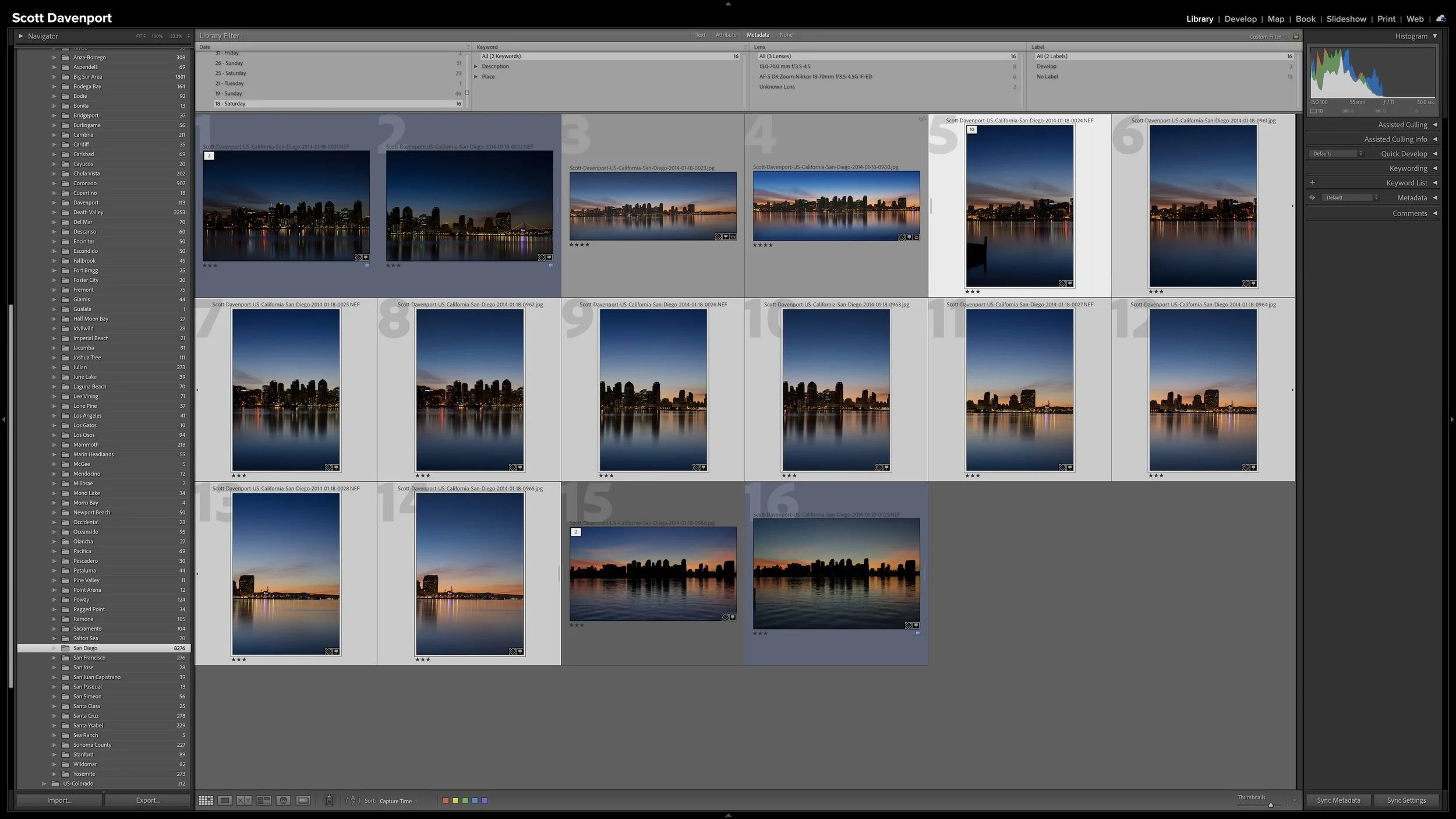
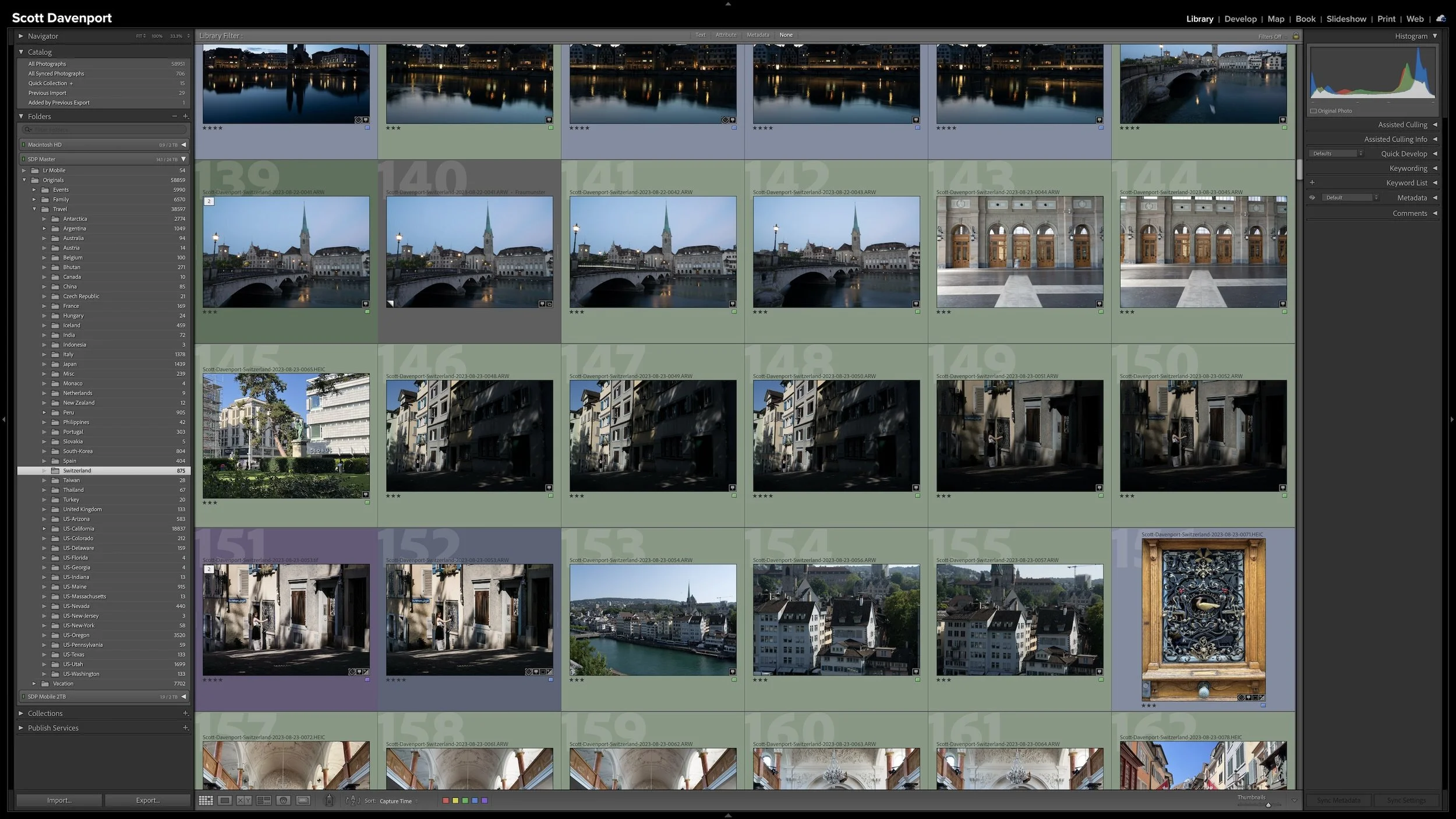
The Lightroom catalog brings photographs from different folders together into a single working library.
That distinction is useful because choosing one catalog doesn't mean putting every photograph into the same folder or organizing everything the same way. Catalogs and folders solve different parts of the organizational problem.
Why I Use One Catalog
I use a single Lightroom catalog because I want one place for all of my photographs.
That includes my professional landscape and travel photography as well as my personal and family photographs. I don't want to remember which catalog contains a particular photograph or switch catalogs depending on what part of my library I want to explore.
Keeping everything in one catalog also means Lightroom can work with my entire photo library at once. For my goals, that is exactly what I want.
The important point is that one catalog doesn't require one organizational scheme.
My professional photography and my personal photography are very different, and I don't naturally think about them in the same way. My landscape and travel photography is largely geographical. I tend to remember where I made a photograph. With family photographs, I am more likely to think chronologically—what year something happened or when a particular event took place.
Both can live comfortably in the same Lightroom catalog.
One catalog can hold different types of photography without requiring them to share the same organizational structure.
I use folders to provide that separation, and the structure underneath those folders can change depending on the type of photography. I'll go into that structure in more detail in Article 03 — A Simple Lightroom Folder Structure That Can Grow With You.
When Several Catalogs Might Make Sense
There is nothing wrong with using multiple Lightroom catalogs.
If you have a meaningful reason to keep different bodies of photography completely separate, Lightroom Classic gives you that option. Your goals may be different from mine, and that is perfectly fine.
What I would avoid is creating separate catalogs simply because it seems like photographs of different types should be separated.
For example, I don't need one catalog for professional work and another for personal work just because those photographs serve different purposes. Folders give me enough separation while still allowing me to keep everything accessible from one place.
So before creating another catalog, I would ask a simple question:
What does separating these photographs into another catalog help me accomplish?
If you have a good answer, multiple catalogs may fit your workflow. If you don't, another catalog may simply add another layer of organization to maintain.
Every Catalog Needs Some Attention
Every catalog you create becomes another catalog you need to keep track of. Lightroom Classic changes over time, and catalog upgrades are sometimes part of moving to a newer version of the application.
Every additional catalog becomes another photo library to maintain and remember, including catalogs you may not open very often. For me, one catalog avoids that extra overhead.
That doesn't make multiple catalogs a bad choice. It is simply part of the cost of that choice.
For me, I don't gain anything useful from separating my photography into multiple catalogs. I would gain more things to keep track of without solving a problem I actually have.
A single catalog is simpler for the way I work.
Separation Doesn't Require Separate Catalogs
Different types of photography don't have to be organized the same way just because they live in the same catalog.
My professional travel work can be organized geographically. My family photographs can be organized chronologically. Vacations and events can follow structures that make sense for those types of photographs.
They are different ways of thinking about photographs, but they don't require different catalogs.
That flexibility is more useful to me than strict consistency. The goal isn't to make every part of the catalog look identical. The goal is to make each part understandable when I return to it months or years later.
Folders provide the next layer of that organization. I generally keep my folder structure relatively shallow, and I am perfectly comfortable allowing some folders to contain a large number of photographs. That's the subject of Article 03 — A Simple Lightroom Folder Structure That Can Grow With You.
Final Thoughts
The question isn't whether one Lightroom catalog is better than several. The question is which structure supports the way you work.
For me, the answer is one catalog. I want a single home for my personal and professional photography, and I don't need separate catalogs to organize those photographs differently. Folders give me the separation I need while the catalog keeps the entire library accessible from one place.
Treat my approach as a starting point. If multiple catalogs solve a real organizational problem for you, use them. If they don't, don't create extra separation simply for the sake of organization.
Choose the simplest catalog structure that supports what you want to do with your photographs. Then let the rest of your Lightroom workflow build from there.
This article is part of my Lightroom Photo Organization series.



Right after a shoot, you know where you made the photographs. A few years later, that may not be nearly as obvious. Adding location information while the shoot is still fresh gives you another durable way to find photographs and understand where they were made.
You don't need to type city, state, and country into every photograph. If the camera records GPS coordinates, much of the work is already done. A GPX track log or, when necessary, Lightroom Classic's Map module provides other ways to add the location. The goal isn't exhaustive geographic metadata. It's enough useful information that you won't have to reconstruct it later.